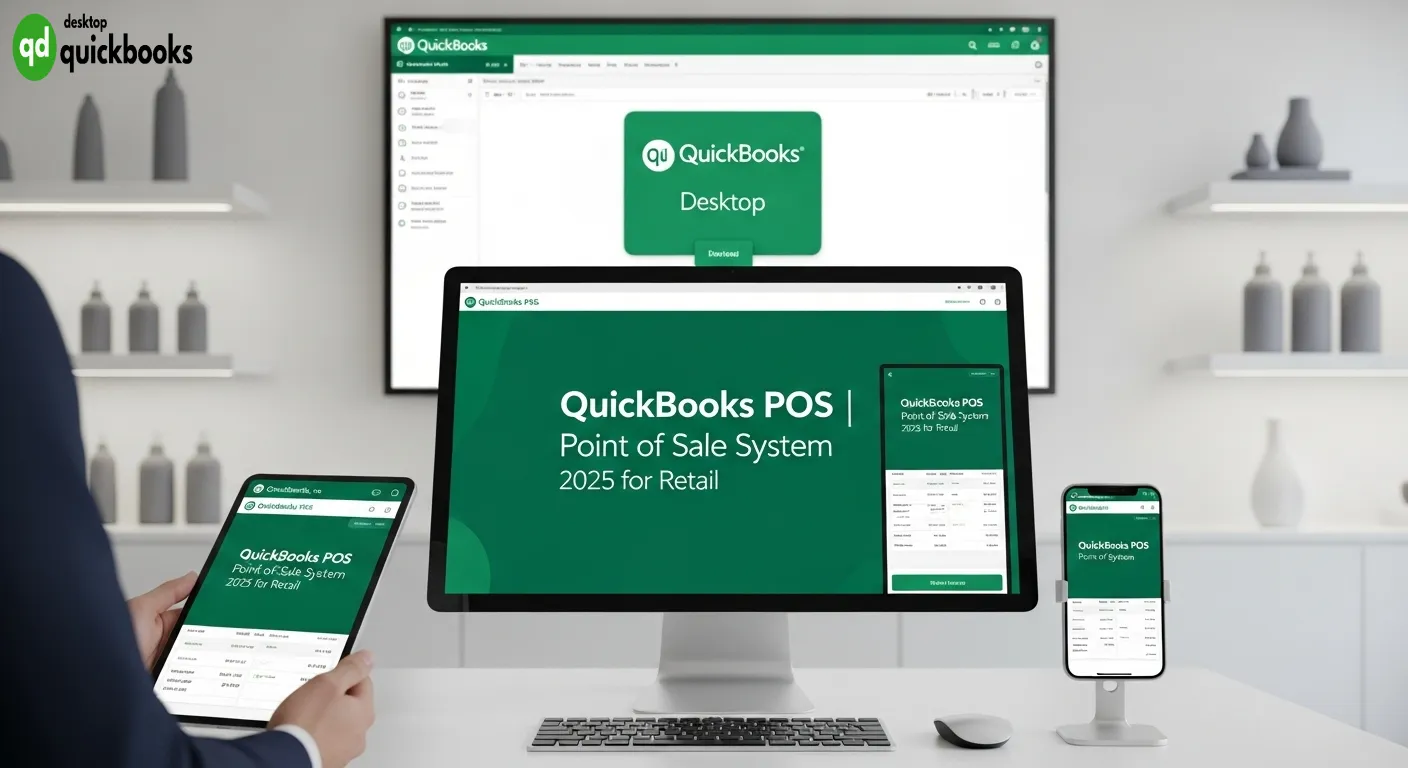
QuickBooks POS is a retail point of sale solution that works well with QuickBooks Desktop Financial software, making it easier for businesses to operate smoothly. This retail POS software has helped many retailers handle sales transactions, keep track of inventory, and manage customer information all in one place.
In 2025, modern retail stores need advanced Point of Sale system 2025 features that allow them to sell through multiple channels, manage inventory in real-time, and accept various payment methods. These systems are crucial for retailers who are trying to navigate a complex market.
This article looks at the current situation of QuickBooks POS after Intuit announced it will no longer be available. We’ll discuss what this means for current users and provide tips on how to switch to other options. We’ll also talk about different strategies for moving data, alternatives like Shopify POS, and important things to consider when choosing a new point of sale system so that businesses can continue operating and growing in today’s retail world.
If you need help with QuickBooks Desktop or any services related to it, check out QBO Desktop, the top provider for QuickBooks desktop support.
What is QuickBooks POS?
QuickBooks Point of Sale is a powerful retail management software that helps businesses streamline their daily operations. It brings together sales transactions, payment processing, and business analytics into one integrated system.
One of the key advantages of QuickBooks POS is its ability to seamlessly connect with QuickBooks Desktop Financial software. This integration eliminates the need for manual data entry by automatically syncing sales data, customer information, and financial records between your point of sale and accounting system.
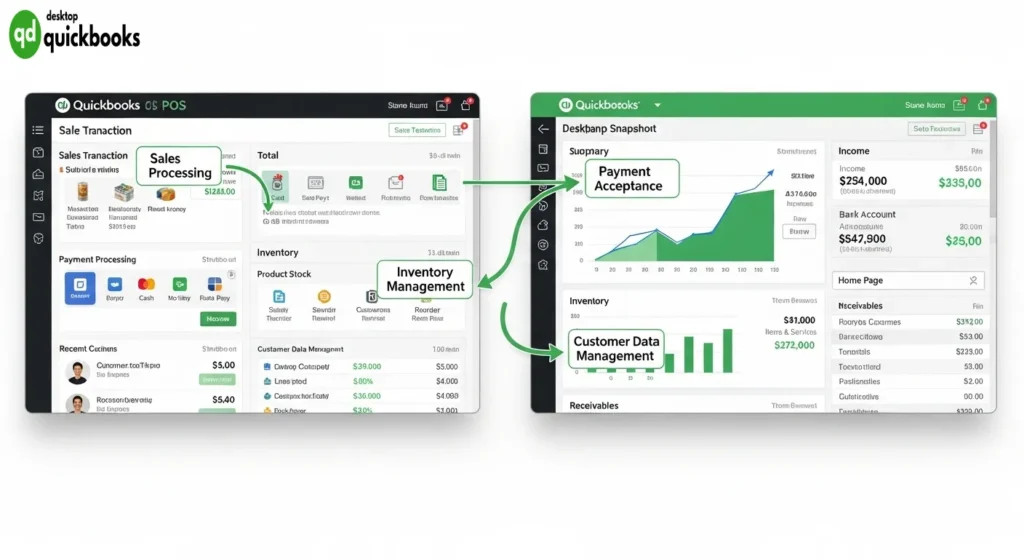
Key Features of QuickBooks Point of Sale
Here are some of the core features that make QuickBooks POS an essential tool for retailers:
- Sales Processing: Enjoy a fast and efficient checkout experience with barcode scanning and quick product lookup.
- Payment Acceptance: Accept various payment methods including credit cards, debit cards, mobile payments (Apple Pay, Google Pay), and cash transactions.
- Inventory Management: Keep track of your stock levels in real-time across multiple locations. Receive automated alerts when it’s time to reorder products.
- Customer Data Management: Create comprehensive profiles for your customers that include their purchase history and loyalty program information.
With QuickBooks POS, you can manage both your physical store and online sales channels from a single platform. This gives you a holistic view of your business performance.
The built-in reporting tools provide valuable insights into sales trends, top-selling products, and customer buying behaviors. Armed with this data, you can make informed decisions that drive growth and increase profitability.
Features and Benefits of QuickBooks POS for Retailers
QuickBooks POS offers a wide range of features specifically designed to help retailers manage their operations efficiently and provide excellent customer service. Here are some key features and benefits of QuickBooks POS:
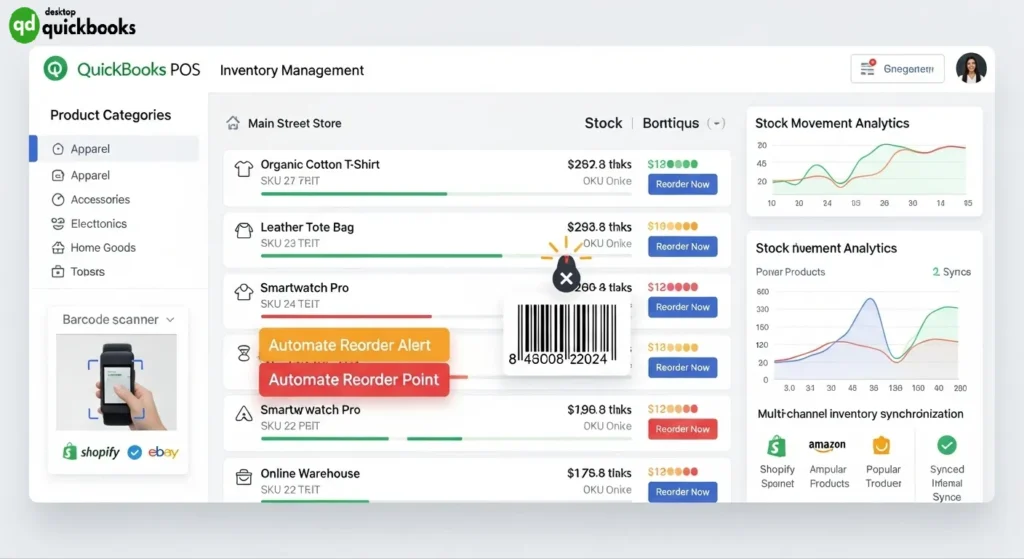
1. Real-time Inventory Management
With QuickBooks POS, you can easily keep track of your inventory in real-time. The system automatically updates stock levels across all sales channels, including online and offline stores. This helps you avoid running out of popular items or overstocking products that tie up your working capital.
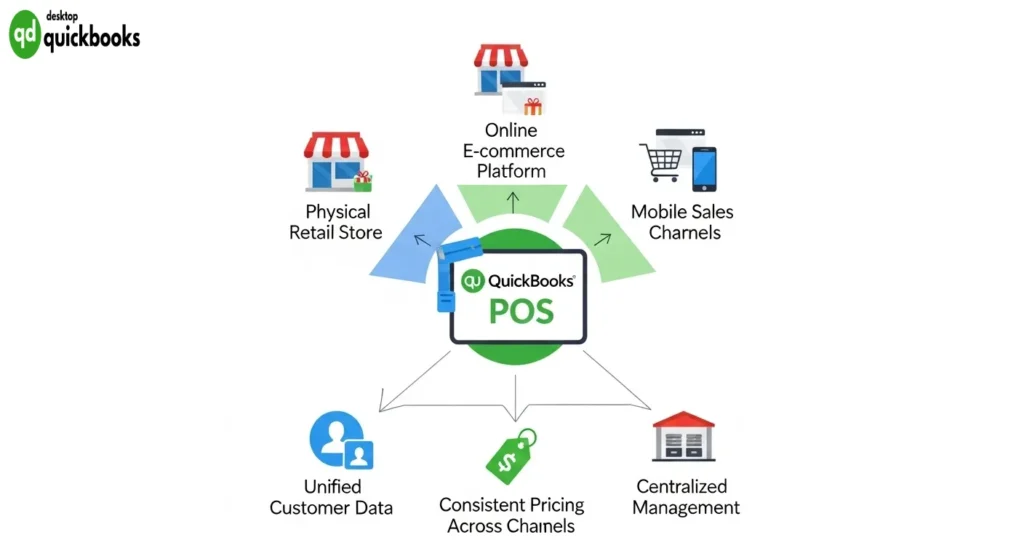
2. Multi-channel Retailing
If you sell both online and in-store, QuickBooks POS has got you covered. The platform allows you to manage all your sales from one place, whether it’s through your website or physical store. This means you can have consistent pricing, visibility into your inventory, and access to customer data no matter where the purchase is made.
3. Mobile Checkout
Say goodbye to long lines at the cash register! With QuickBooks POS, you can turn any compatible device into a point-of-sale terminal. This means your staff can process transactions anywhere in the store using their smartphones or tablets. By reducing customer wait times, you’ll be able to provide better service during busy periods.
4. Flexible Payment Options
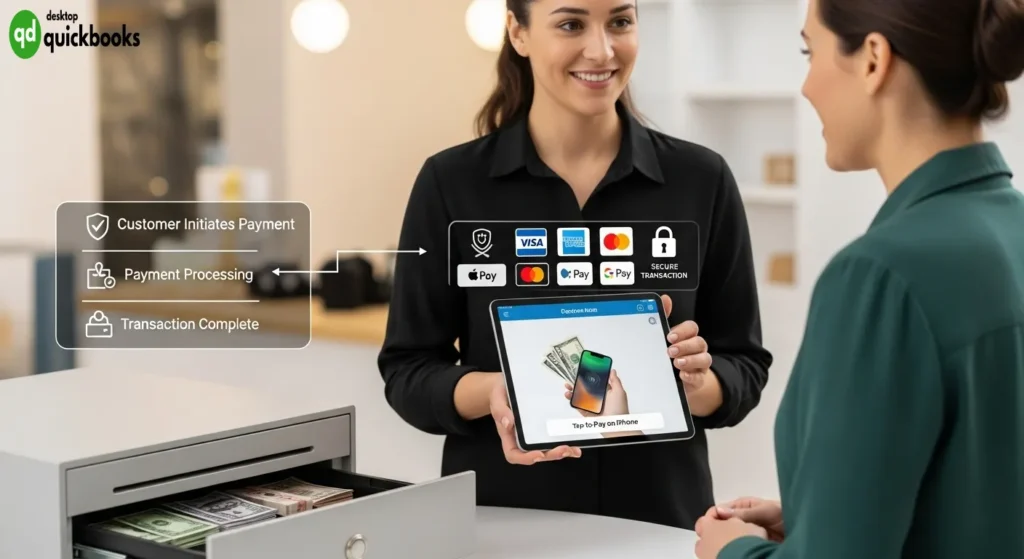
QuickBooks POS understands that different customers have different payment preferences. That’s why it supports various payment methods such as traditional credit and debit card processing, contactless payments through Apple Pay and Google Pay, Tap-to-Pay on iPhone functionality, as well as cash handling with integrated cash drawer management.
5. Seamless Integration with QuickBooks Desktop
Keeping your financial records accurate is crucial for any business. With QuickBooks POS integrated with QuickBooks Desktop, you can rest assured knowing that your sales data will automatically sync with your accounting software. This eliminates the need for manual data entry and reduces the chances of accounting errors.
These features make QuickBooks POS an ideal choice for retailers looking to streamline their operations and enhance the overall shopping experience for their customers.
Discontinuation of QuickBooks Desktop Point of Sale Support
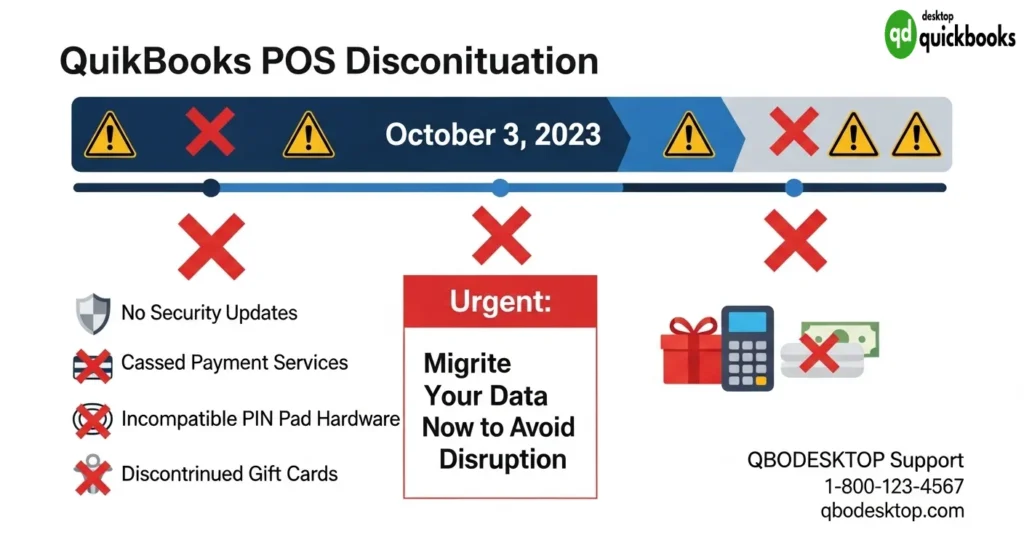
Intuit officially discontinued support for QuickBooks Desktop POS on October 3, 2023, marking the end of an era for this retail management solution. The QuickBooks POS discontinuation 2023 announcement left many retailers searching for alternatives as end of support Intuit POS software became reality.
The discontinuation creates significant operational challenges for existing users:
- No security updates will be released, leaving systems vulnerable to emerging threats
- Connected payment services cease to function, disrupting transaction processing
- PIN Pad hardware configured specifically for quickbooks pos becomes incompatible with other systems
- Gift card services are permanently discontinued, affecting customer loyalty programs
While the software remains technically functional, retailers face mounting risks without official support. Payment processing capabilities deteriorate as financial institutions update their security protocols, making the system increasingly unreliable for daily operations. Hardware investments become stranded assets, requiring complete replacement when transitioning to new platforms.
For businesses still relying on QuickBooks Desktop for accounting, this discontinuation necessitates careful planning to maintain operational continuity while preserving financial data integration.
Implications for Existing Users of QuickBooks POS
Continuing use QuickBooks POS after discontinuation
Retailers who choose to maintain their current setup can still technically use QuickBooks POS even after it is no longer supported. The software will continue to work on the hardware they already have, allowing businesses to process transactions and manage inventory using their established workflows.
Risks without support
Retailers who continue to use the discontinued system face significant challenges:
- Security vulnerabilities: As no patches or updates will be made to fix newly discovered threats, security issues will become more and more problematic.
- Payment processing limitations: Card processing standards may change, but without software updates, these changes won’t be reflected in the system.
- Compliance issues: Outdated security protocols could lead to problems with PCI DSS requirements.
Legacy hardware integration challenges
Retailers who rely on older hardware integration will experience immediate operational limitations. PIN pad devices that are specifically set up for QuickBooks POS cannot be used with other systems, which means businesses will need to completely replace their hardware in order to continue processing payments.
Impact on gift card programs
Gift card programs that were established through QuickBooks POS will no longer work after the discontinuation date. Businesses that still have gift cards outstanding must find other ways for customers to redeem them or risk disappointing customers and potentially facing legal issues.
Lack of technical support
Without technical support, any problems with the system, software conflicts, or hardware malfunctions will have to be resolved using only internal resources or help from third-party providers like QBO Desktop.
Transitioning from QuickBooks POS to New Solutions
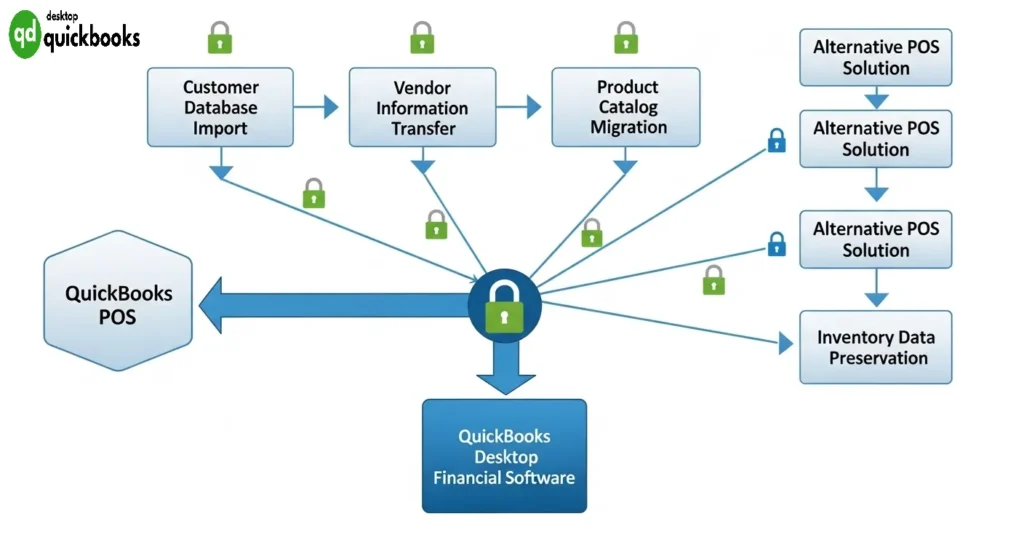
The discontinuation of QuickBooks POS support creates an urgent need for retailers to evaluate migrating from QuickBooks POS to modern solutions that maintain operational continuity. Intuit has established a strategic partnership with Shopify to facilitate this transition, offering retailers a direct migration path that preserves their existing accounting workflows.
Migration Tools and Data Transfer Options:
- Customer database import – Complete contact information, purchase history, and preferences
- Vendor information transfer – Supplier details, payment terms, and ordering preferences
- Product catalog migration – SKUs, pricing, descriptions, and category structures
- Inventory data preservation – Current stock levels and location tracking
Shopify’s migration toolkit specifically addresses QuickBooks POS users by maintaining seamless integration with QuickBooks Desktop financial software. This alternative POS systems integration approach ensures retailers can upgrade their point-of-sale capabilities without disrupting their established accounting processes or requiring extensive staff retraining on financial management procedures.
Shopify POS: A Recommended Alternative with Seamless Integration to Quickbooks Desktop Financial Software for Accounting Continuity + Multi-Channel Selling Capabilities!
Shopify Point Of Sale System is Intuit’s preferred replacement for the discontinued quickbooks pos, delivering comprehensive retail management through a modern, cloud-based platform. This solution addresses the critical needs of retailers seeking continuity in their operations while upgrading their technological infrastructure.
Multi-Channel Retail Excellence
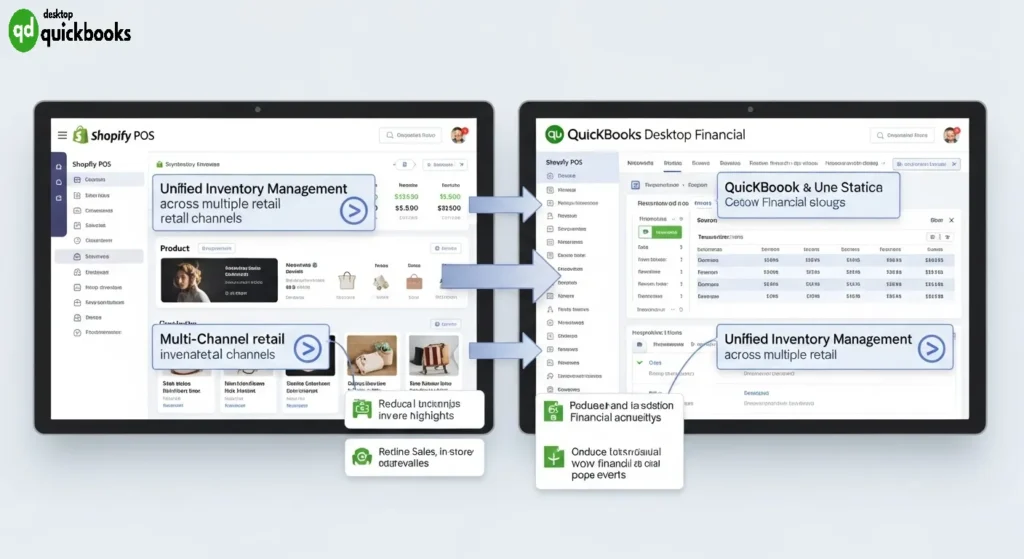
Shopify POS excels in unifying retail operations across multiple touchpoints:
- Unified inventory management across online stores, physical locations, and mobile sales channels
- Real-time synchronization between in-store and e-commerce platforms
- Mobile-first design enabling sales processing from tablets, smartphones, or traditional terminals
- Advanced reporting dashboard providing comprehensive analytics across all sales channels
Seamless QuickBooks Desktop Integration
The integration capabilities with QuickBooks Desktop ensure accounting continuity remains uninterrupted:
- Automatic data synchronization transfers sales, tax, and customer information directly into QuickBooks Desktop
- Customizable chart of accounts mapping maintains existing financial structures
- Real-time financial reporting eliminates manual data entry and reduces accounting errors
- Tax calculation accuracy ensures compliance across different jurisdictions
Modern User Experience
The platform’s contemporary interface reduces training time while enhancing operational efficiency. Staff can process transactions, manage inventory, and access customer profiles through an intuitive system that operates reliably both online and offline, ensuring business continuity regardless of internet connectivity status.
Other Popular Alternatives to QuickBooks POS in 2025
There are several other advanced point of sale (POS) solutions available in the retail industry that can replace QuickBooks POS. Here are some of the most popular alternatives:
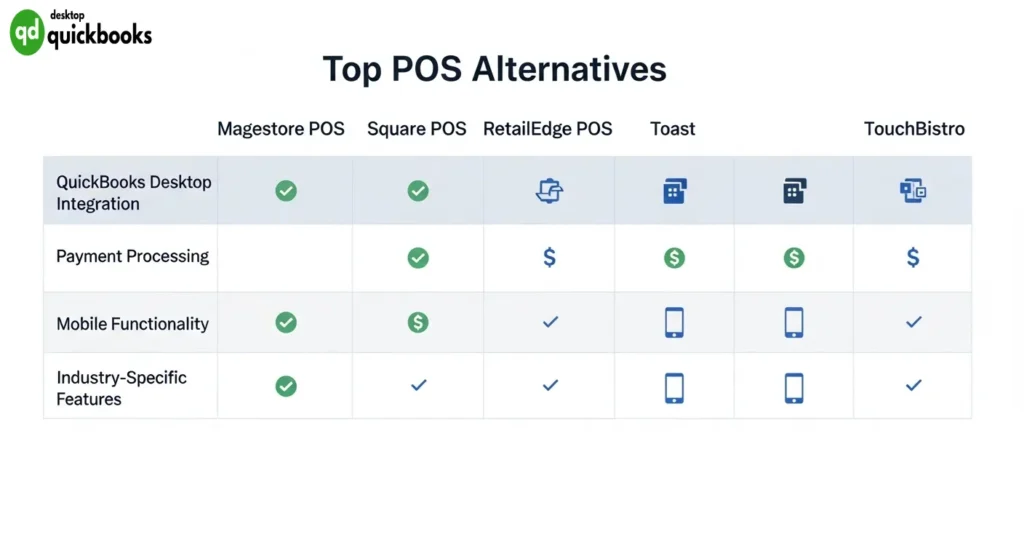
1. Magestore POS
Magestore POS is a great choice for e-commerce retailers who already use Shopify or Magento platforms. It offers seamless integration with these platforms, allowing for efficient inventory management across both online and physical stores. With real-time synchronization capabilities, retailers can easily keep track of their stock levels and make informed business decisions.
2. Square POS
Square POS is an attractive option for businesses looking for smooth integration with QuickBooks accounting software. This makes it easy for users to manage their finances without any extra effort. Square’s ecosystem supports various payment methods such as contactless payments, chip cards, and mobile wallets, ensuring flexibility for customers. Additionally, Square’s robust offline functionality guarantees uninterrupted sales processing even during internet outages.
3. RetailEdge POS
RetailEdge POS is specifically designed for specialty retailers. It offers advanced features such as inventory tracking, customer relationship management (CRM), and detailed reporting capabilities. This system is particularly effective in managing complex product variations and seasonal inventory fluctuations that are common in retail settings.
4. Toast & TouchBistro POS
Toast & TouchBistro POS systems cater specifically to food service establishments. Toast provides comprehensive kitchen display systems, online ordering integration, and staff management tools, while TouchBistro specializes in optimizing table service with tableside ordering capabilities and detailed menu management.
These alternatives have some strengths in common:
- Mobile-first design: enabling staff to process transactions anywhere in the store
- Offline operation modes: ensuring business continuity during connectivity issues
- Multi-location support: for growing retail chains
- Advanced analytics: providing actionable business insights
- Cloud-based architecture: enabling remote management and real-time data access
Each solution addresses specific retail verticals while maintaining the core functionality that QuickBooks Desktop users expect from their accounting integration.
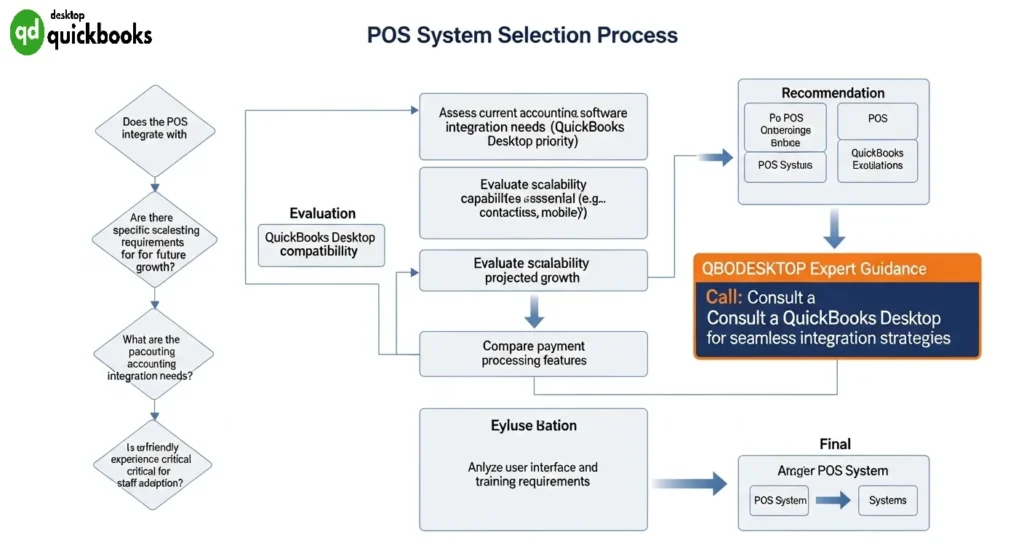
Choosing the Right Point of Sale System After QuickBooks POS
Selecting the best retail POS in 2025 requires careful evaluation of multiple critical factors that directly impact your business operations. The discontinuation of QuickBooks POS support creates an opportunity to upgrade to more advanced systems that better serve modern retail needs.
1. Accounting Integration with POS Systems
This is the most important factor for businesses moving away from QuickBooks POS. Your new system must work smoothly with either QuickBooks Desktop or Online versions to ensure your financial records remain intact. When looking for solutions, prioritize those that provide:
- Real-time data synchronization between sales transactions and accounting records
- Automated inventory adjustments that reflect in your QuickBooks financial reports
- Tax calculation accuracy that aligns with your existing accounting setup
2. Scalability Requirements
Scalability needs can vary greatly depending on how much you expect your business to grow. It’s essential to choose systems that can handle:
- Multiple store locations with centralized management
- Expanding product catalogs without performance issues
- Growing transaction volumes during busy seasons
- Additional user accounts as your team gets bigger
3. Payment Processing Capabilities
In 2025, it’s crucial that your payment processing abilities match what your customers want. Make sure you have these key features:
- contactless payments
- mobile wallet acceptance
- flexible payment plans
Also, check if your current hardware like terminals, barcode scanners, and receipt printers can still work with the new system without needing too much extra investment.
4. User Experience Design
The design of your POS system can impact how smoothly daily operations run and how productive your staff is. Look for interfaces that are easy to understand so training won’t take long. Additionally, find features that help manage customer relationships such as tracking purchase history and creating personalized promotions.
For expert guidance on QuickBooks Desktop integration and POS system selection, QBO Desktop provides comprehensive support as the best QuickBooks desktop provider.
Conclusion
The retail world needs future-proof retail solutions 2025 that can adapt to changing consumer behaviors and technological advances. While the end of QuickBooks POS marks the end of an era, it opens doors to more advanced evolving point of sale technology that offers enhanced capabilities.
Retailers who embrace modern POS systems with robust QuickBooks Desktop integration will position themselves for success. The key lies in selecting solutions that provide:
- Seamless accounting synchronization
- Multi-channel selling capabilities
- Advanced inventory management
- Flexible payment processing
Visit QBODesktop.com for expert guidance on maintaining your QuickBooks Desktop setup while transitioning to new POS technology. The right combination of accounting software and modern point-of-sale systems will drive operational efficiency and business growth in the competitive retail environment ahead.
FAQs (Frequently Asked Questions)
What is QuickBooks POS and how does it integrate with retail operations in 2025?
QuickBooks POS is a retail point of sale software solution designed to streamline sales processing, payment acceptance, inventory management, and customer data handling. In 2025, it integrates seamlessly with QuickBooks Desktop Financial software, providing retailers with efficient tools to manage both online and in-store sales channels.
What are the key features and benefits of using QuickBooks POS for retailers?
QuickBooks POS offers real-time inventory management to avoid stockouts or overstocking, supports multi-channel retailing including online and physical stores, enables faster mobile checkout experiences, and accepts a variety of payment methods such as credit/debit cards, Apple Pay, Google Pay, and Tap-to-Pay options.
Why was support for QuickBooks Desktop Point of Sale discontinued in 2023 and what does this mean for users?
Intuit discontinued support for QuickBooks Desktop POS as of October 3, 2023, ending security updates and connected payment services. This discontinuation leads to limitations like non-functional PIN Pads hardware and discontinued gift card services, which poses risks related to security vulnerabilities and impacts retailers relying on legacy hardware.
How can existing QuickBooks POS users transition to new point of sale solutions effectively?
Retailers using QuickBooks POS should explore migration options due to discontinued support. Intuit offers partnerships with solutions like Shopify POS that allow importing customers, vendors, and products. Transitioning ensures continued operational efficiency with modern features while maintaining accounting continuity through integration with QuickBooks Desktop Financial software.
What makes Shopify POS a recommended alternative to QuickBooks POS in 2025?
Shopify POS provides an advanced multi-channel retail platform with a modern user interface. It integrates seamlessly with QuickBooks Desktop Financial software for accounting continuity and supports various payment methods. Its flexibility enhances retail operations by enabling both online and in-store sales management efficiently.
What other popular point of sale alternatives are available in 2025 besides Shopify POS?
Other leading alternatives include Magestore (integrated with Shopify/Magento), Square POS known for strong accounting compatibility, and restaurant-focused systems like Toast & TouchBistro. These solutions offer diverse payment acceptance methods, offline/mobile operation modes, scalability, and robust customer relationship management features suitable for various retail environments.